Changelog

Follow new updates and improvements to ShipWisely.

Ask Sidekick about your pickup points – and change them from the chat
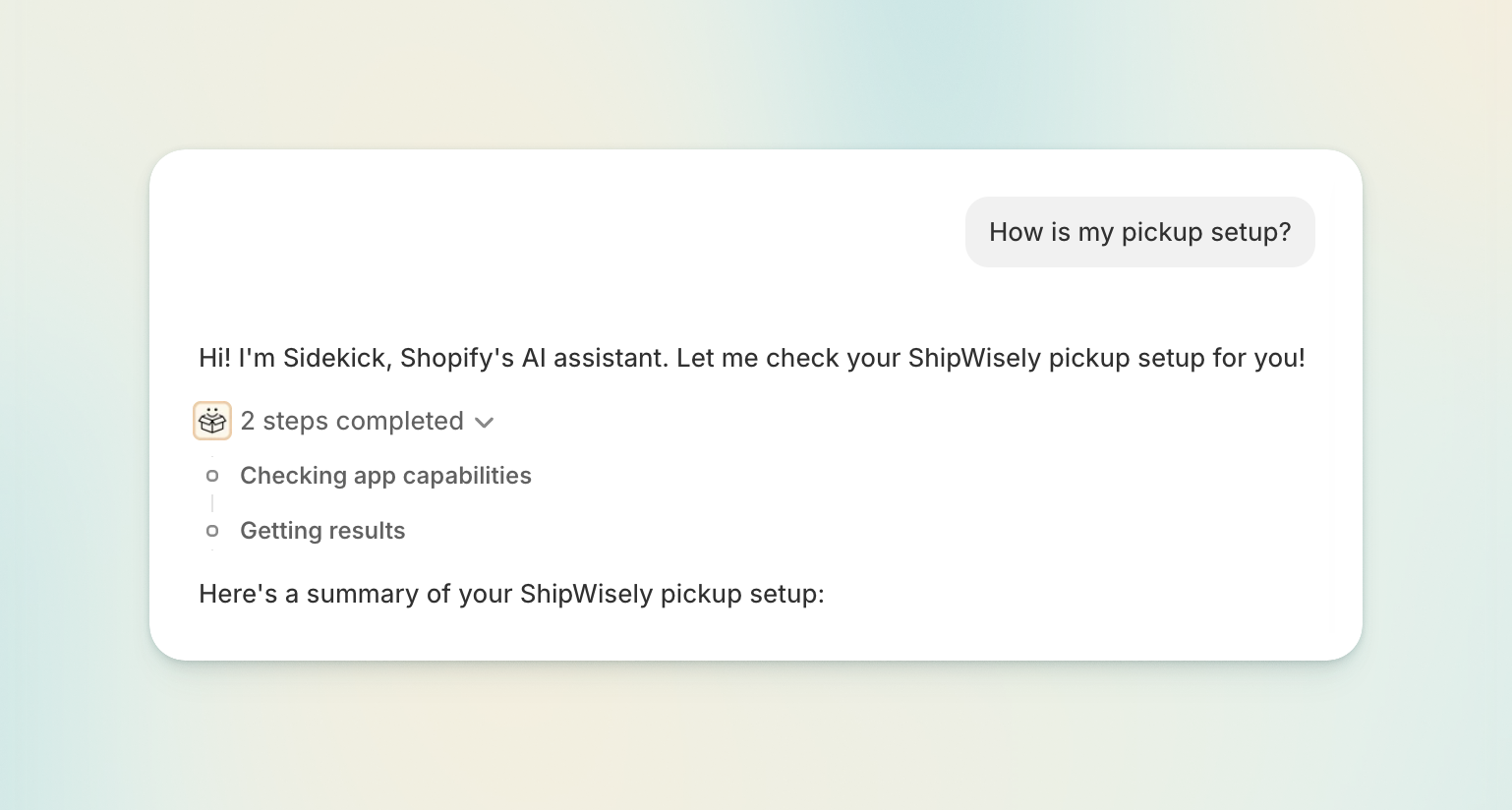
Sidekick, the AI assistant built into your Shopify admin, now knows your ShipWisely pickup setup.

Ask it which pickup carriers you have live, why a pickup point option isn't appearing at checkout, or which locker an order is headed to — it answers from ShipWisely's own data, in the chat, on whatever page you happen to be on. No tab switching, no digging through settings to figure out how they’re set up.

What Sidekick can answer now

  • "How is my pickup setup?" — which pickup carriers are live, the countries they cover, how many locations are configured, and whether setup is finished.

  • "Which pickup carriers deliver to Finland?" (or "Which countries does Venipak's locker network cover?") — answered from ShipWisely's pickup carrier catalogue.

  • "Why isn't a pickup option showing at checkout?" — Sidekick walks the checks and names the one that failed.

  • "What's configured for DPD pickup?" — the pickup settings behind a single carrier.

  • "Where is order #1337 being picked up?" — the pickup point on an order, or whether it's still waiting for the customer to choose one.

  • "Find a locker near this address" — search pickup points by name, address, or ID, limited to the pickup carriers you have enabled.

  • "How many pickup orders have I used this month?" — your ShipWisely plan usage for the current cycle.

Change a pickup point without leaving the conversation

Ask Sidekick to change the pickup point on an order, and the picker opens right there in the chat. Search, pick the new point, and press Save.

Available in 27 languages, matching your Shopify admin language.

Fixed: the picker now offers only the carriers you actually use

The pickup point picker used to offer every carrier you had ever configured — including carriers left over from a setup you'd since moved off. That made it possible to send a parcel to a locker of a carrier you no longer have a contract with.

It now offers the carriers on your current setup only. You can no longer move an order onto a carrier you've stopped using — including older orders that were sold under it.

Also improved

  • Faster pickup search on the order page.

  • Clearer wording. Your configured destinations are called locations everywhere now, including in Sidekick's answers, matching what the rest of the app has always called them.
NewImprovedFixed

Manage pickup points straight from the Shopify order page

A question we've been asked a lot: "Customer emailed asking to change their pickup point — what do I do?" Until now, the answer involved a lot of manual work. Now it's a couple of clicks.

The new pickup point block

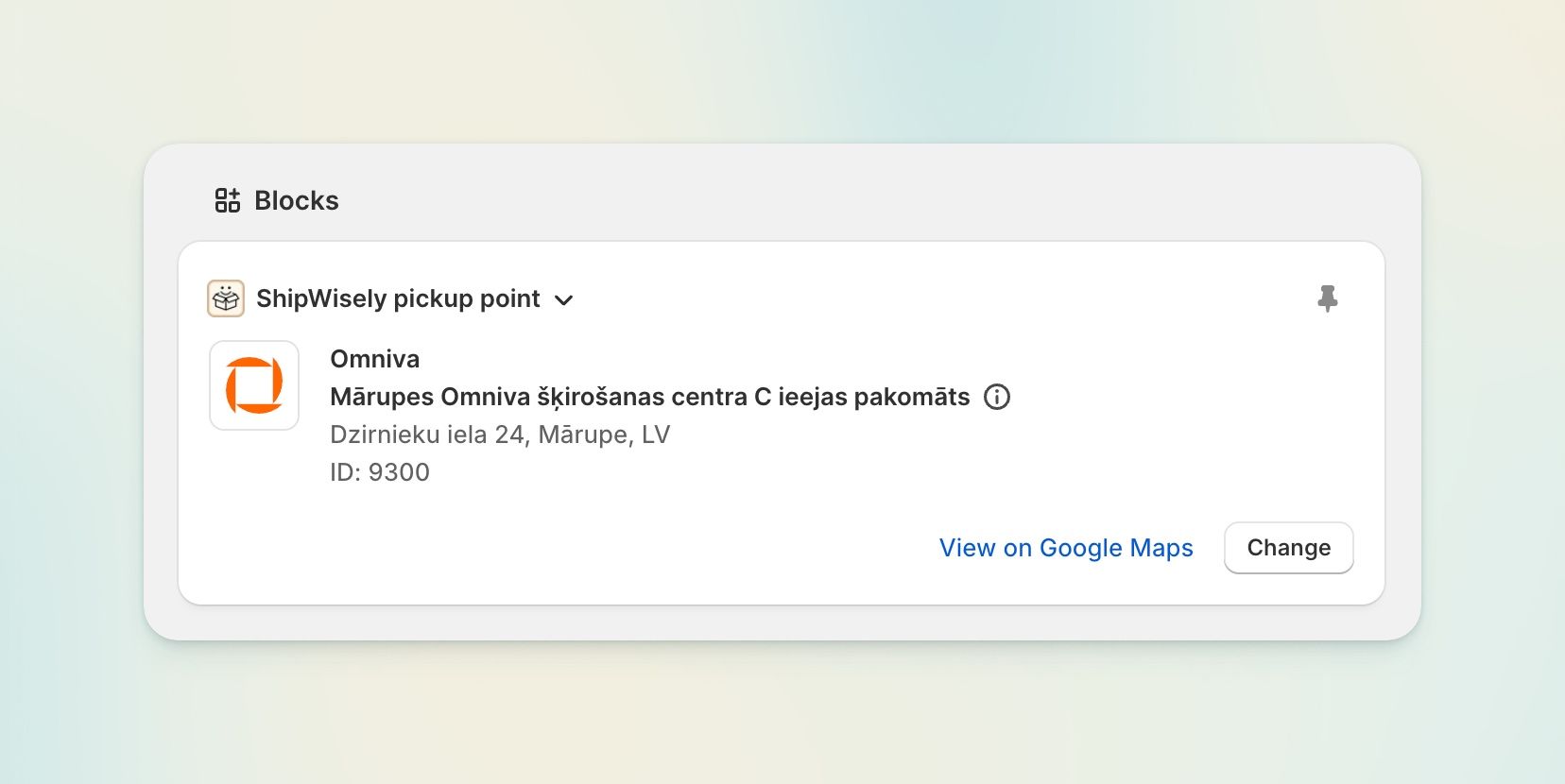
ShipWisely adds a block to your Shopify order details page.

  • See the chosen pickup point — carrier, point name, full address and opening hours — without leaving the order.

  • Change it in place. Open the picker, search, select, done. The order's pickup data is updated and, if it was waiting on a pickup point, the hold is released.

  • Search that actually finds things. Search by point name, address or ID, filtered to the carriers you have enabled, so you never pick a point you can't ship to.

  • Opening hours at a glance, grouped sensibly, e.g. Monday–Saturday: 08:00–22:00 · Sunday: 09:00–22:00.

  • Available in 27 languages, matching your Shopify admin language.

Carrier updates

  • Smartpost / Posti — migrated to their current API ahead of the old one being retired. Nothing to do on your side.

  • Venipak Lithuania — lockers now follow the new carrier's 25 kg weight limit.

  • Carrier identity is now consistent across checkout, the admin block and the pickup point map. This fixes points from certain carriers failing to load or save, and map pins vanishing when a carrier icon was missing.

NewFixed

A much faster checkout, clearer plan usage, and a batch of billing fixes

Shipping rates at checkout are ~4× faster

Every time a customer reaches the shipping step, Shopify asks ShipWisely for rates. That round trip used to take about 2.1 seconds. It's now comfortably under half a second.

We rebuilt the request path: parallel carrier lookups, caching, and streamlined product-dimension reads. Fewer customers wait on a spinner or see an empty shipping step.

The ShipWisely admin app loads noticeably faster too — the plan and billing information have been optimized under the hood.

See your monthly usage at a glance

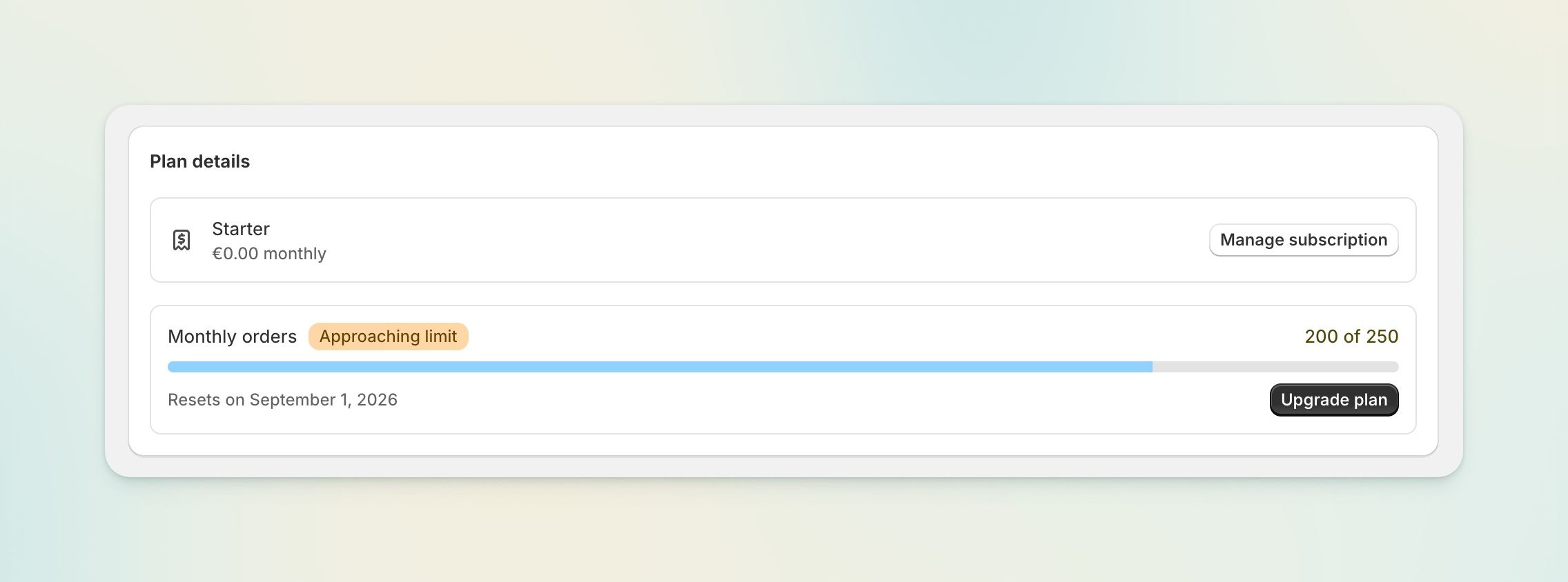
The app home page now shows exactly where you stand against your plan.

  • Live usage bar — orders used, your monthly limit, and the date your usage resets.

  • A heads-up at 80% with an "Approaching limit" badge.

  • A clear warning at 100% explaining that pickup points stop being offered at checkout until your usage resets — no more guessing why they disappeared.

  • One-click upgrade when you need more headroom.

Filter your orders by pickup point

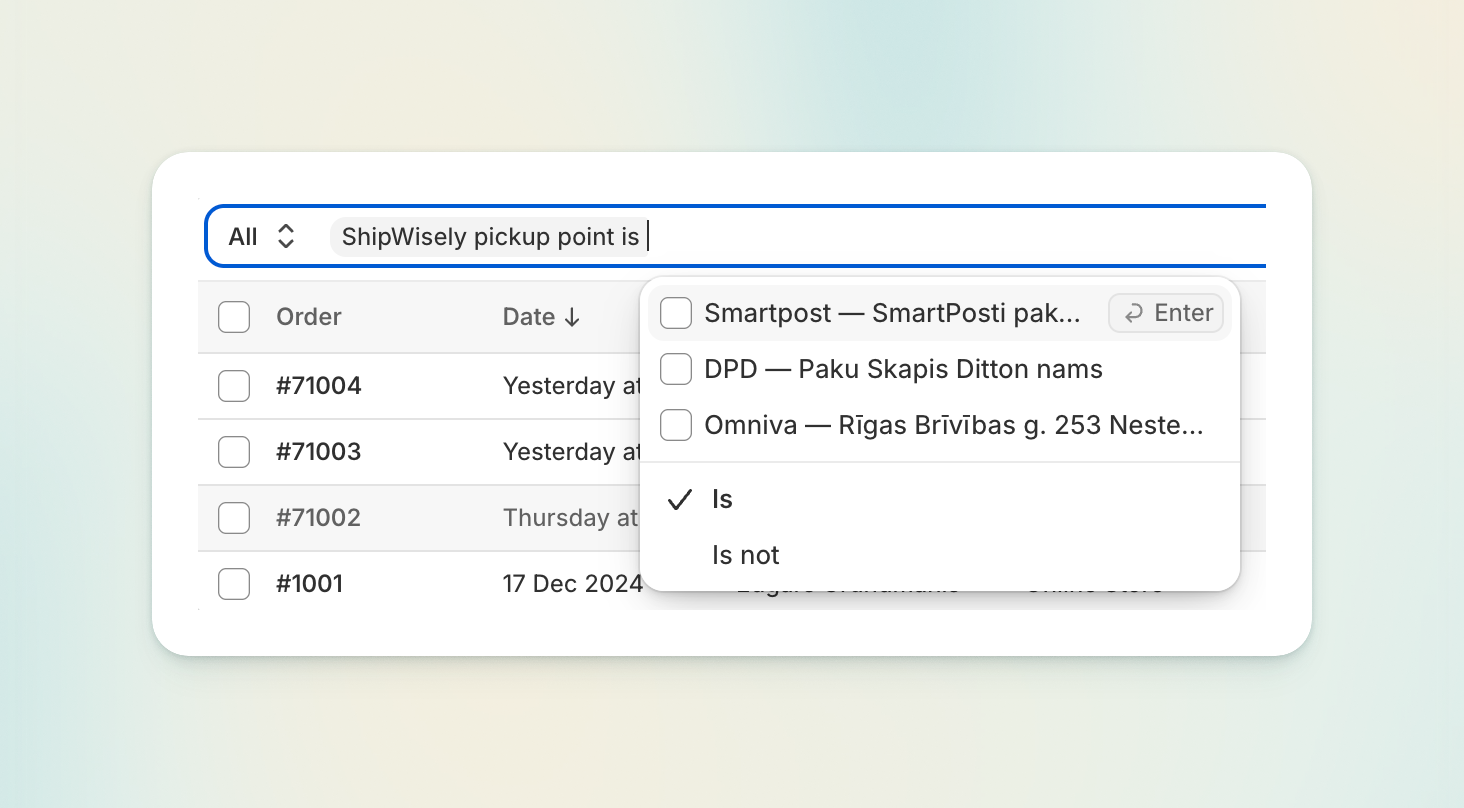
Every order with a pickup point now carries a searchable, filterable field in the Shopify admin, in the form Omniva — Riga parcel locker. Filter your order list, build segments, and export by carrier or pickup location using Shopify's native filters.

Dimension-based rates, on your terms

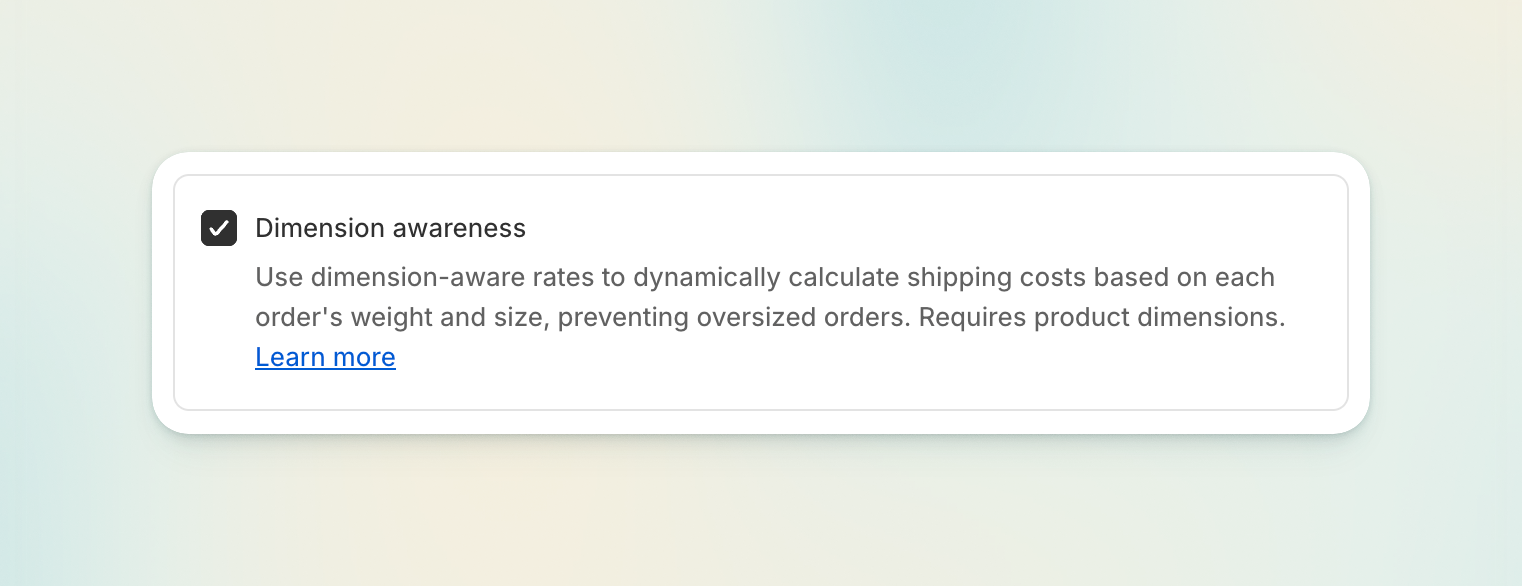
Dimension-based rate calculation is now an explicit toggle. Leave it off, and ShipWisely skips the product-dimension lookups entirely — a simpler, faster setup for stores that price shipping by weight or flat rate.

Fixes

  • Oversized orders slipping through. When one product variant appeared on several order lines (very rare, but possible), we undercounted the total volume, so orders that should have exceeded your size limits were still offered locker rates. Fixed.

  • Prices in currencies that don't use two decimals are now converted correctly.

  • "Limit reached" no longer appears on plans with no order limit at all.

ImprovedFixed

Earlier updates